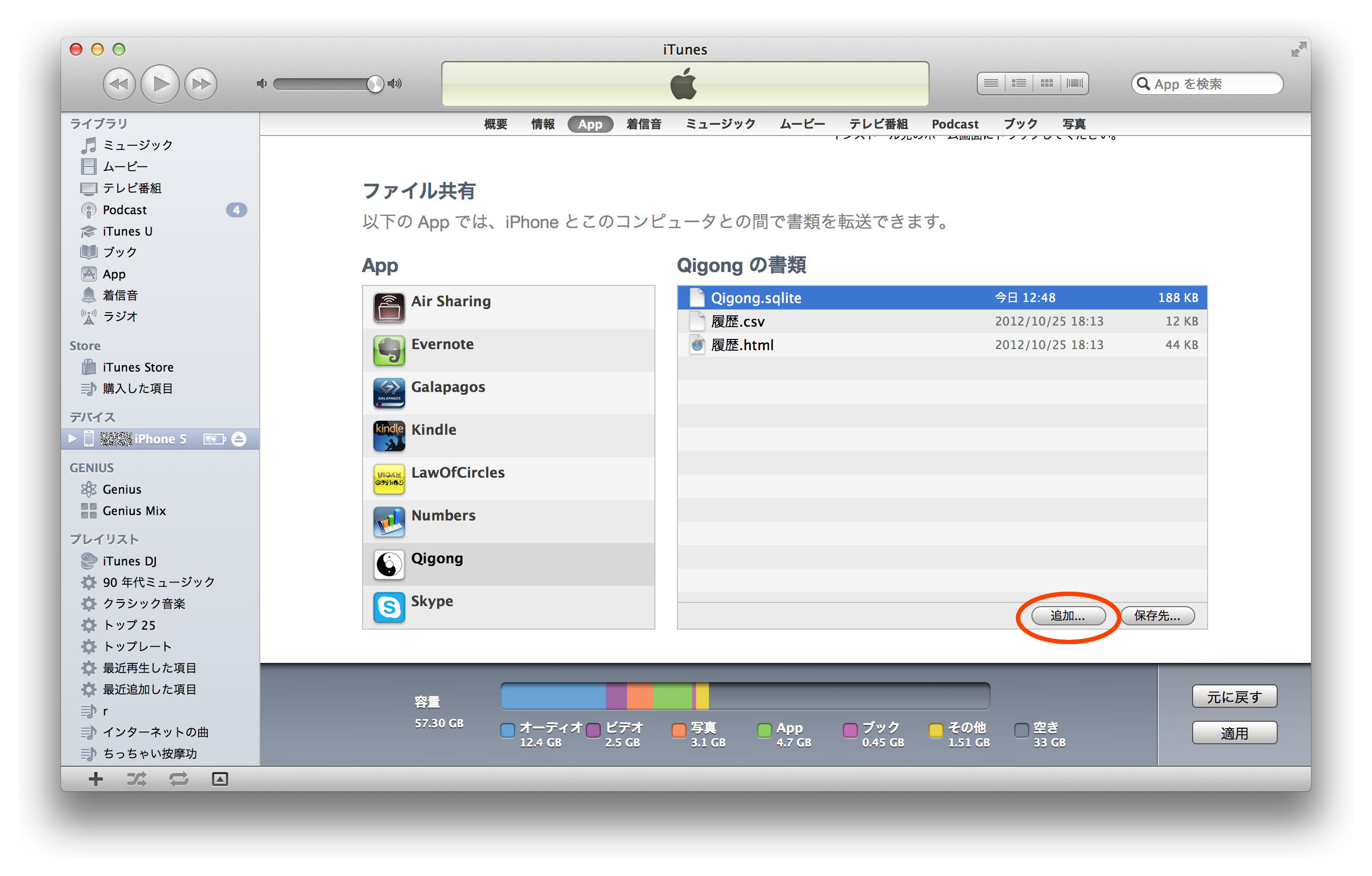
Backing up and restoring practice data
1. Backup
1.1. Connect your iPhone (iPod touch, iPad) to iTunes.
1.2. Select the connected iPhone (iPod touch, iPad).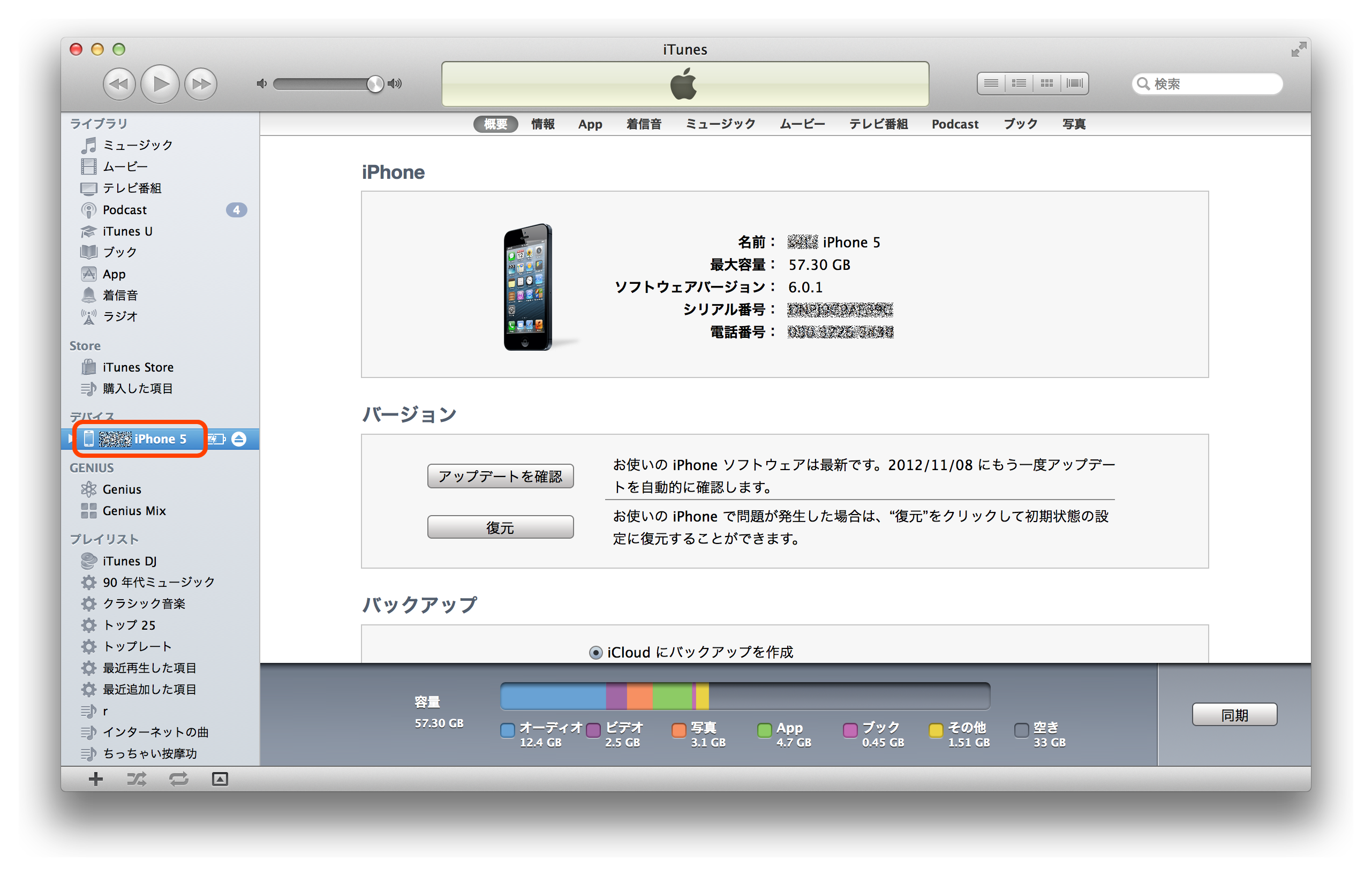
1.3. Open the "App" page.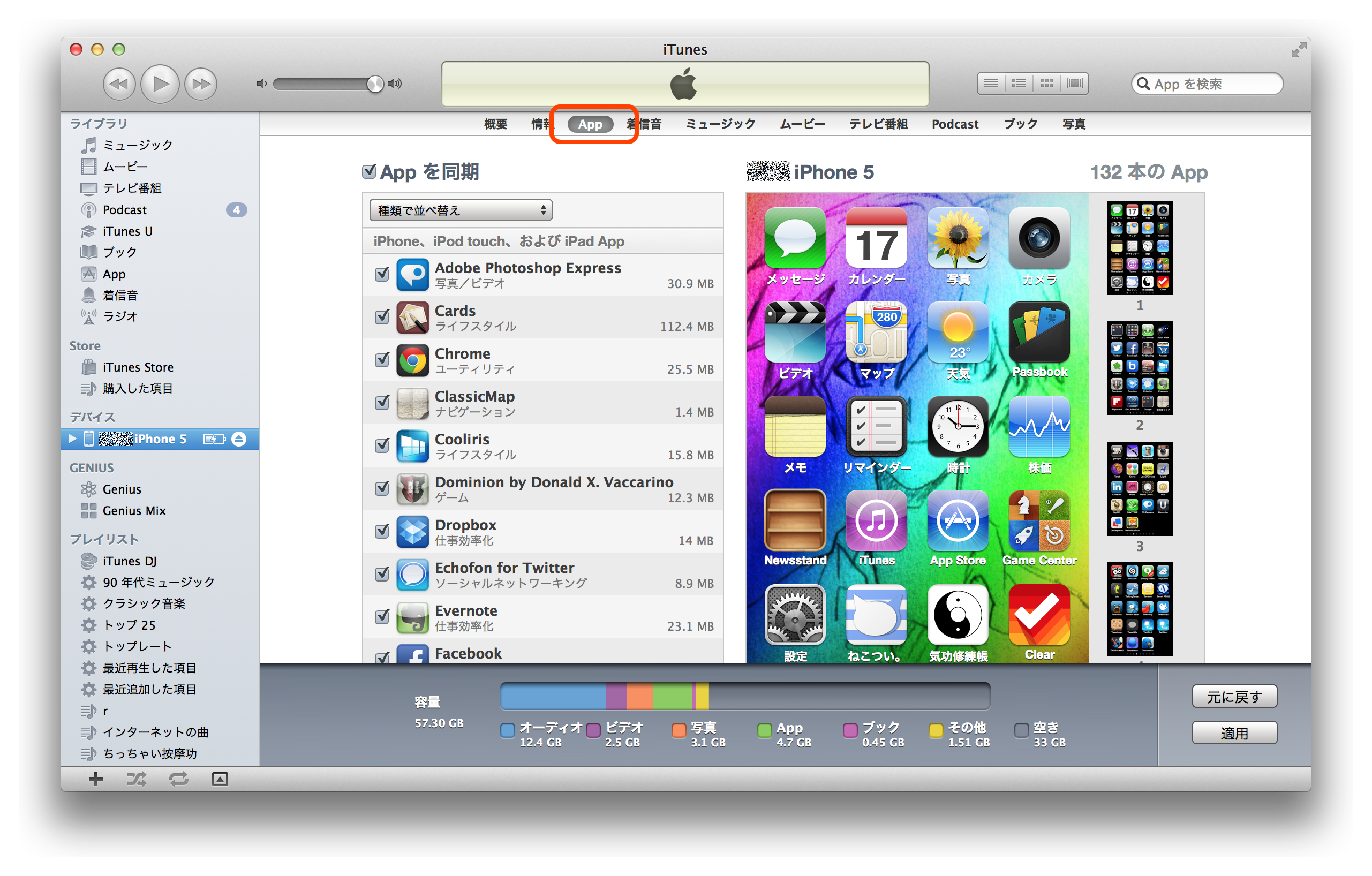
1.4. Scroll down until "File Sharing" is visible, then select "Qigong".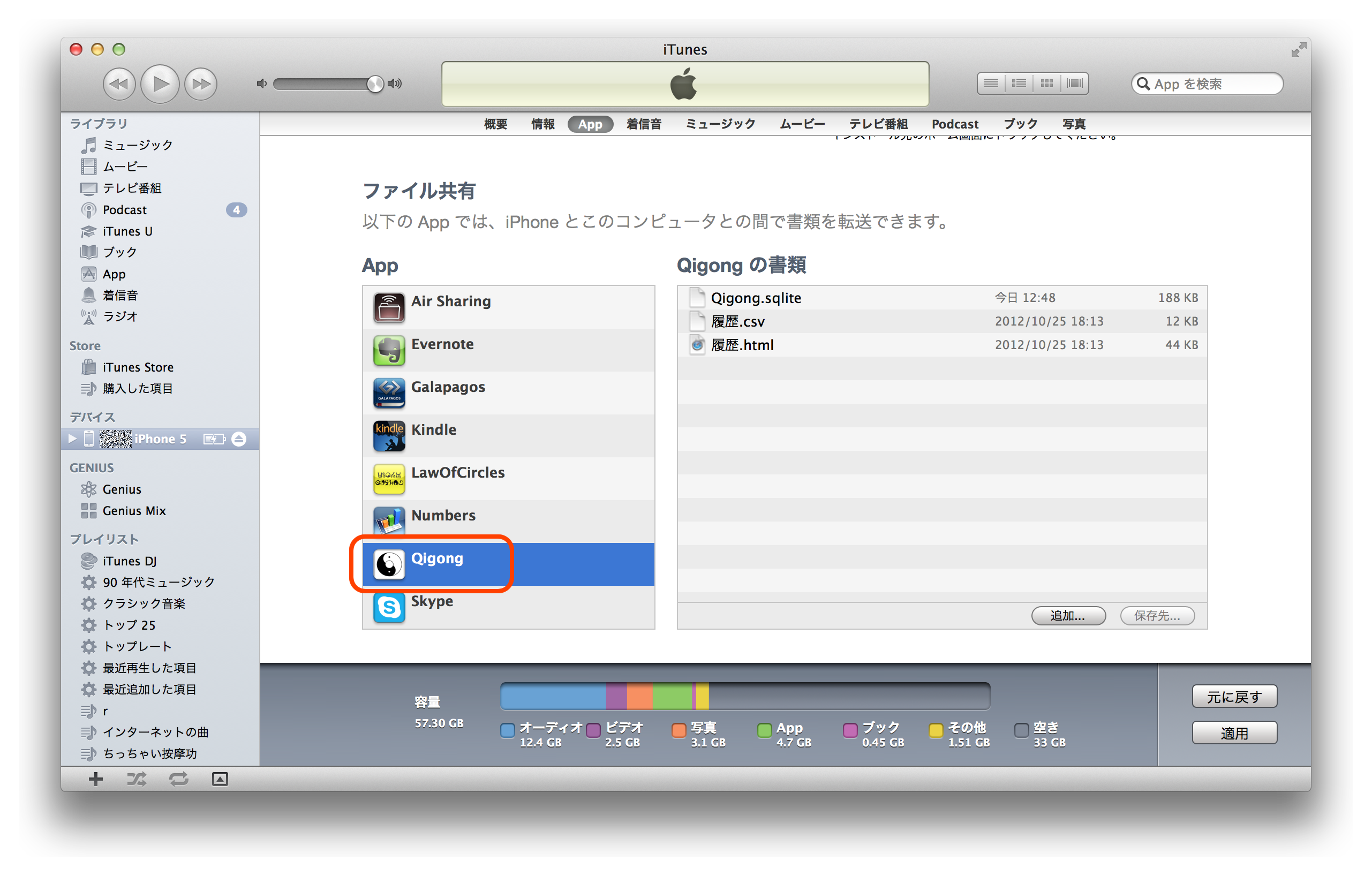
1.5. Select "Qigong.sqlite", click the "Save to..." button, and save the file to any location.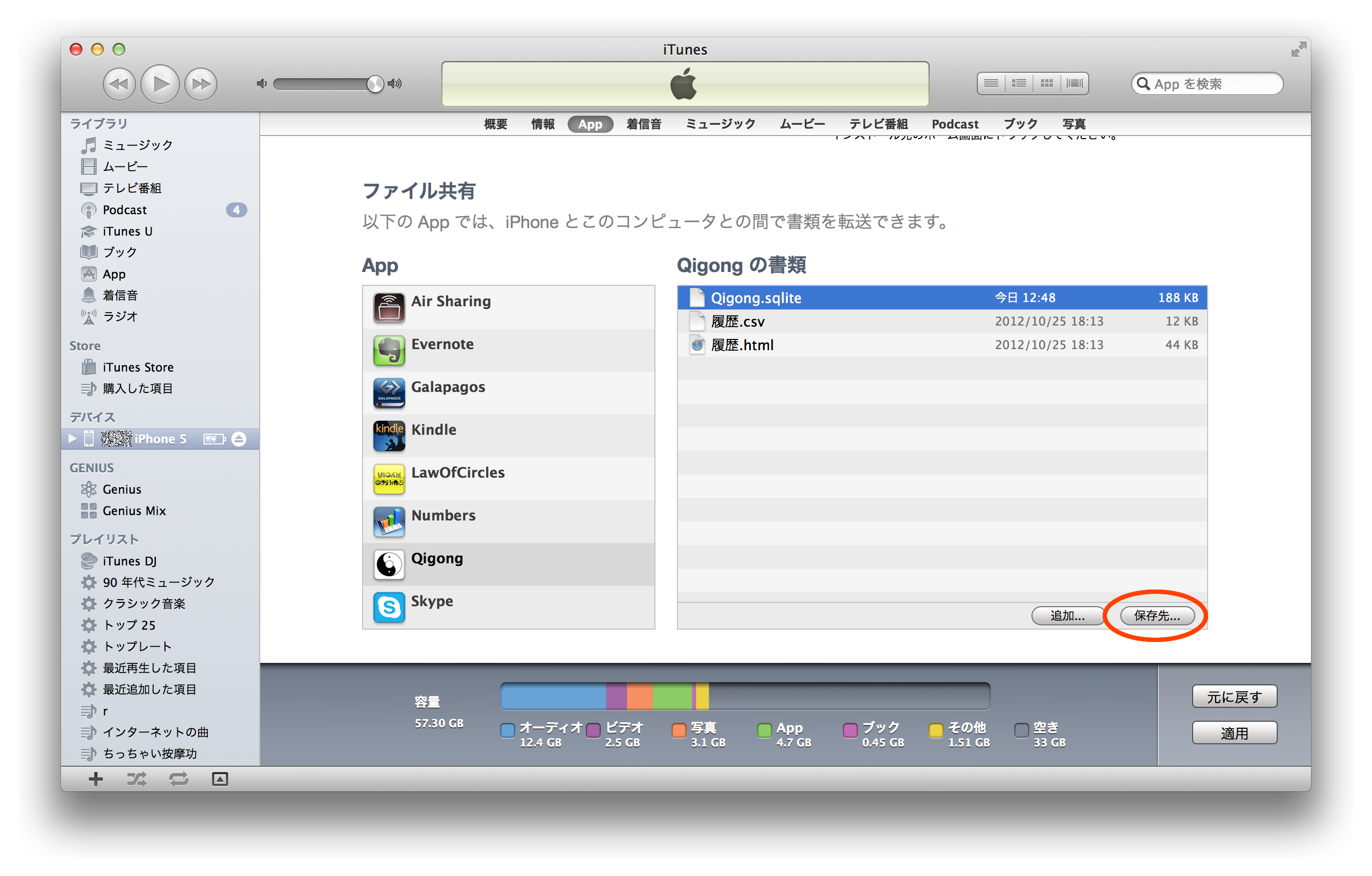
2. Restore
2.1. Quit the "Qigong Assistant" app on your iPhone (iPod touch, iPad).
2.2. Perform steps 1.1 to 1.4 in the "1. Backup" procedure.
2.3. Click the "Add..." button and add the file saved in step 1.5 of the "1. Backup" procedure.